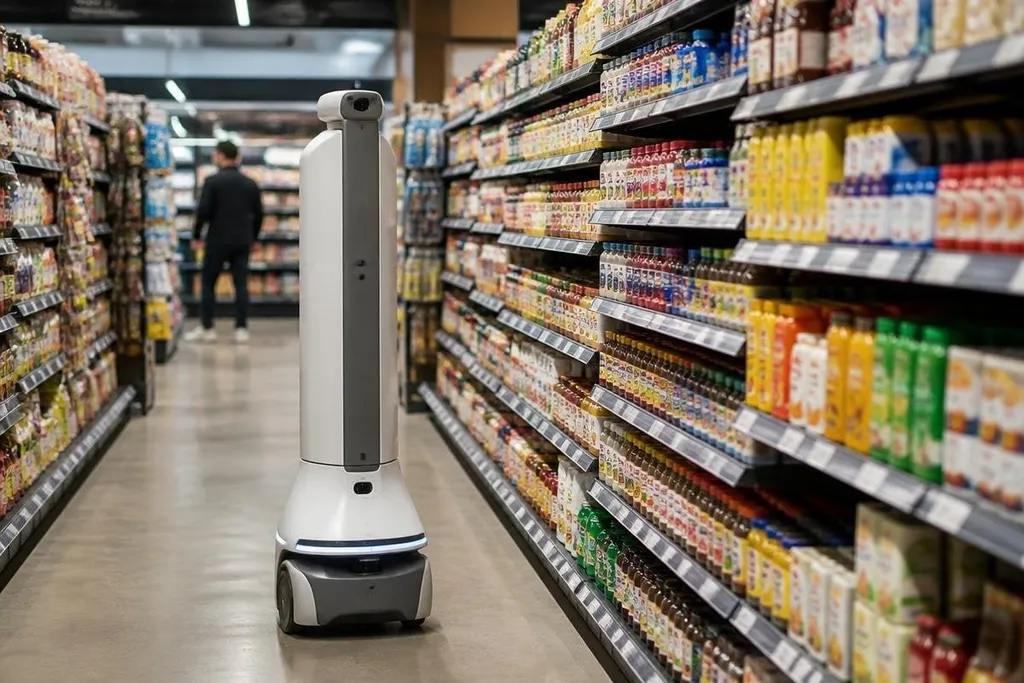
A retail robot may spend its shift scanning shelves, moving stock, or guiding a shopper to an item. The useful question is where it removes repeated work and where a person still needs to make the call.
Quick read
- Shelf robots check stock from the aisle
- Mobile robots move goods between the stockroom and sales floor
- Customer-facing robots need clear limits, safe movement, and human support
The work starts with stock data
A shelf-scanning robot uses cameras, barcode readers, or other sensors to check what sits on a shelf. It can spot an empty space, a misplaced product, or a price label that does not match the store’s records.
That information matters because a store cannot sell an item that staff cannot find. When the system reports an empty shelf, a worker gets a task to fix it, while spending less time walking through every aisle to look for gaps.
The robot does not decide what a store should order. It collects a view of the shelf, then sends that data to the store’s software. A person or inventory system still needs to check the result before changing an order.
Stockrooms are a better fit for movement
Retail stores contain many short trips: bringing cartons to the sales floor, returning items to storage, and carrying waste to a collection point. A mobile robot can follow a mapped route and carry a load while staff handle picking, unpacking, or customer questions.
The value depends on the route. A robot that travels through a clear stockroom may work well, while one that must pass shoppers, baskets, displays, and open doors faces more stops. Its sensors need to detect people and objects, and its control software needs a safe response when the planned path changes.
That is why a store needs more than a robot with wheels. It needs charging space, marked routes, access to lifts or ramps, and a plan for blocked aisles. Each added condition raises the work needed before the first useful run.
Customer-facing robots need a narrow job
At the front of a store, a robot can direct shoppers to a product, answer set questions, or carry a basket. These tasks rely on a limited set of phrases and a fixed store map, so the robot can work within clear boundaries.
Open-ended conversation is harder. Product stock can change, prices can differ by location, and a shopper may ask for advice that needs product knowledge or a human decision. A voice system that gives a wrong answer can create more work than it removes.
Retailers also need to tell shoppers what the robot records. Cameras and microphones can collect data beyond the task itself, so stores should state what is captured, why it is used, and how long it remains stored.
Privacy terms need the same care as the robot’s shopping task. A report from Robot 24 can name the maker, model, store, and data policy, so you can compare what the robot records with what it does in a public aisle. The harder limits begin when shoppers, staff, and weak network links enter the test.
The limits sit outside the demo
A robot can repeat a route for hours, but a retail floor rarely stays the same. A fallen box, a new display, a child crossing the path, or a spill can change the task in seconds.
Human support remains part of the system. Staff may need to clear a route, check a shelf report, answer a customer, or take control when the robot stops. Stores should count that work when they compare the robot with a manual process.
I’d skip any retail robot whose plan depends on staff fixing every small failure by hand. The machine may still move, scan, or guide people, but the store has not gained much if each task creates a new interruption.
A store decision guide
Before a store tests a retail robot, check these points:
- Name the repeated task. Write down the exact trip, scan, or question the robot will handle.
- Measure the human work. Count walking time, checks, handoffs, and the time spent fixing errors.
- Map the difficult areas. Include doors, ramps, lifts, narrow aisles, shoppers, displays, and charging points.
- Set a human fallback. Decide who responds when the robot stops or gives a wrong result.
- Check the data path. Record what the sensors collect, where the data goes, and who can access it.
- Review the full cost. Include setup, software, charging, repairs, staff time, and changes to the store.
The first useful retail robot will usually have a small job with a clear result. A shelf report that staff can verify or a stockroom route that stays predictable gives a store a fair test; the next question is whether the system still works when the shop gets busy.